Explore a realistic Chipotle receipt featuring itemized entrées with customization details, sides, beverages, tax breakdown, and Chipotle Rewards messaging. Edit every field and download as a free PNG.
Use this template as a starting point or build from scratch.
A Chipotle receipt documents every detail of a fast-casual dining transaction, from the specific entrée build to the sides and drinks ordered alongside it. Understanding the Chipotle receipt format is useful for expense reporting, meal reimbursement, budgeting, or creating realistic mockups for design and testing purposes. Chipotle's receipts stand out because they list each ingredient customization beneath the main entrée line, giving a complete picture of what was ordered. This template replicates the layout used at Chipotle Mexican Grill locations, including the logo, store header, itemized build details, tax calculation, and footer messaging.
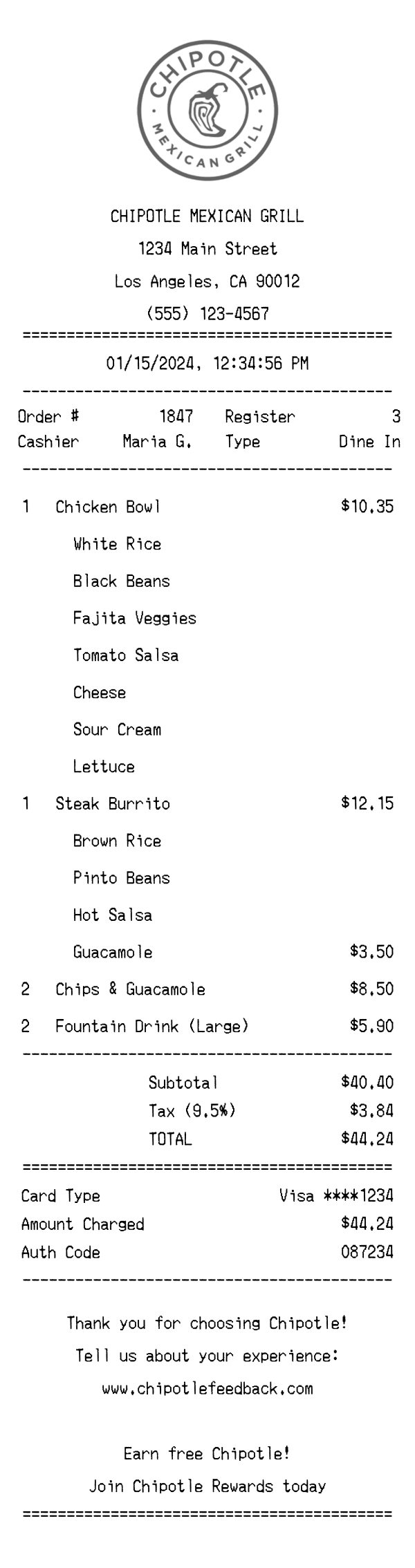
The top of a Chipotle receipt features the Chipotle Mexican Grill logo printed in a circular black-and-white format, centered above the store details. Below the logo, the business name 'CHIPOTLE MEXICAN GRILL' appears in bold, followed by the street address, city, state, ZIP code, and phone number — all center-aligned. A double-line (equals) divider separates the header from the transaction details below. This header block helps identify the exact Chipotle location where the purchase was made, which is important for expense documentation and returns.
Beneath the date and time stamp, the Chipotle receipt displays key transaction metadata in a two-column layout. The left column shows the Order Number (e.g., #1847) and the Cashier name (e.g., Maria G.), while the right column lists the Register number and the order Type (Dine In, To Go, or Online). The date and time are printed in a center-aligned format such as '01/15/2024, 12:34:56 PM,' providing a precise timestamp for the transaction. These identifiers are essential for resolving order disputes or matching receipts to bank statements.
Chipotle receipts list each entrée as a primary line item with quantity, name, and price, followed by indented sub-lines detailing every customization. For example, a 'Chicken Bowl' at $10.35 is followed by entries like White Rice, Black Beans, Fajita Veggies, Tomato Salsa, Cheese, Sour Cream, and Lettuce — each indented and without a separate price since they're included. Premium add-ons like Guacamole are listed with their additional charge (e.g., $3.50). Sides such as Chips & Guacamole and beverages like Fountain Drink (Large) appear as standard line items with quantity and price. This detailed format makes Chipotle receipts longer than most fast-food receipts but far more informative about what was actually ordered.
The totals section of a Chipotle receipt begins with the Subtotal, which sums all item prices before tax. The tax line specifies both the rate and amount — in this case, 9.5% California sales tax calculating to $3.84 on a $40.40 subtotal. The TOTAL line is prominently displayed, followed by an equals divider. Below that, the payment section shows the card type (e.g., Visa ****1234), the exact amount charged, and an authorization code for the transaction. Chipotle does not typically include a tip line on dine-in receipts, which distinguishes it from full-service restaurant formats.
The footer of a Chipotle receipt includes a centered thank-you message reading 'Thank you for choosing Chipotle!' followed by a prompt to share feedback at www.chipotlefeedback.com. Below the survey invitation, Chipotle promotes its loyalty program with messaging like 'Earn free Chipotle! Join Chipotle Rewards today,' encouraging repeat visits. An equals divider separates the text from a barcode at the bottom, which encodes the order number and transaction data for scanning purposes. This barcode can be used by staff to pull up order details or by customers referencing their visit for the feedback survey.
| Feature | Chipotle | Walmart | Target |
|---|---|---|---|
| Receipt format | Thermal paper with centered logo, ingredient sub-lines under each entrée | Wide thermal paper with department-coded item lines and Savings Catcher details | Thermal paper with bullseye branding and Circle rewards savings summary |
| Item detail level | Each customization (rice, beans, salsa, toppings) listed as indented sub-lines under the entrée | Single line per product with SKU, department letter code, and tax flag | Single line per product with DPCI number and price |
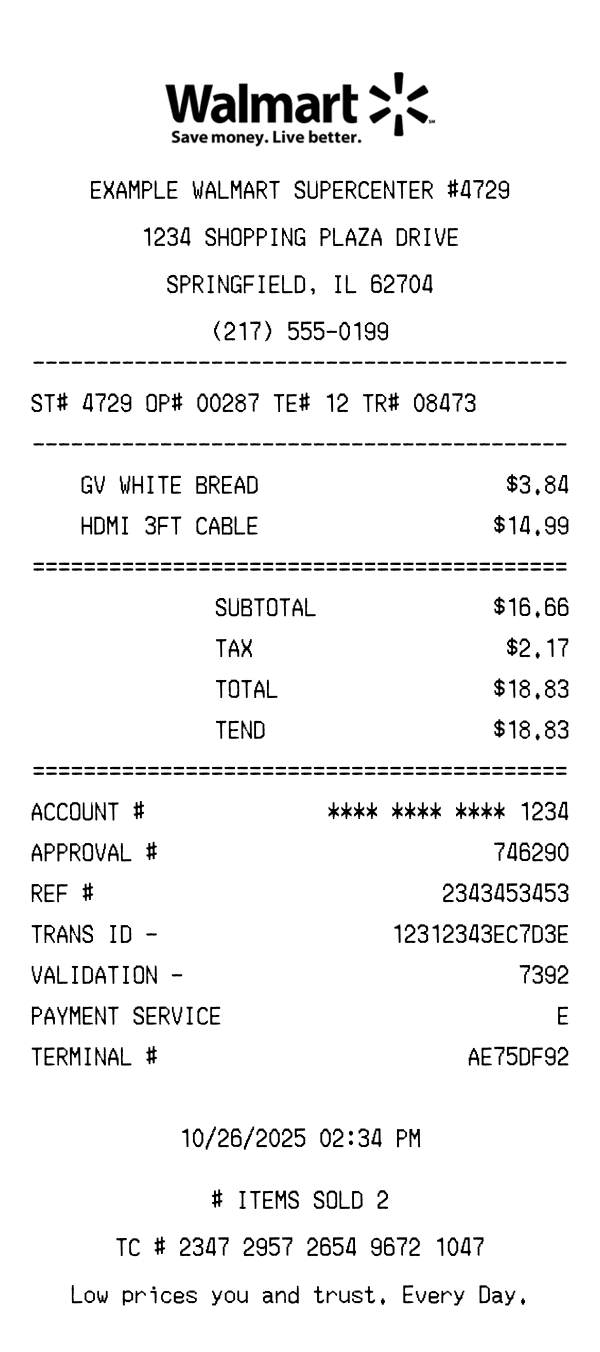
| Tax display | Single tax line showing rate percentage and calculated amount (e.g., Tax 9.5% — $3.84) | Tax broken out by category code (e.g., Tax 1, Tax 2) with rates varying by product type | Single combined tax line with rate and total amount |
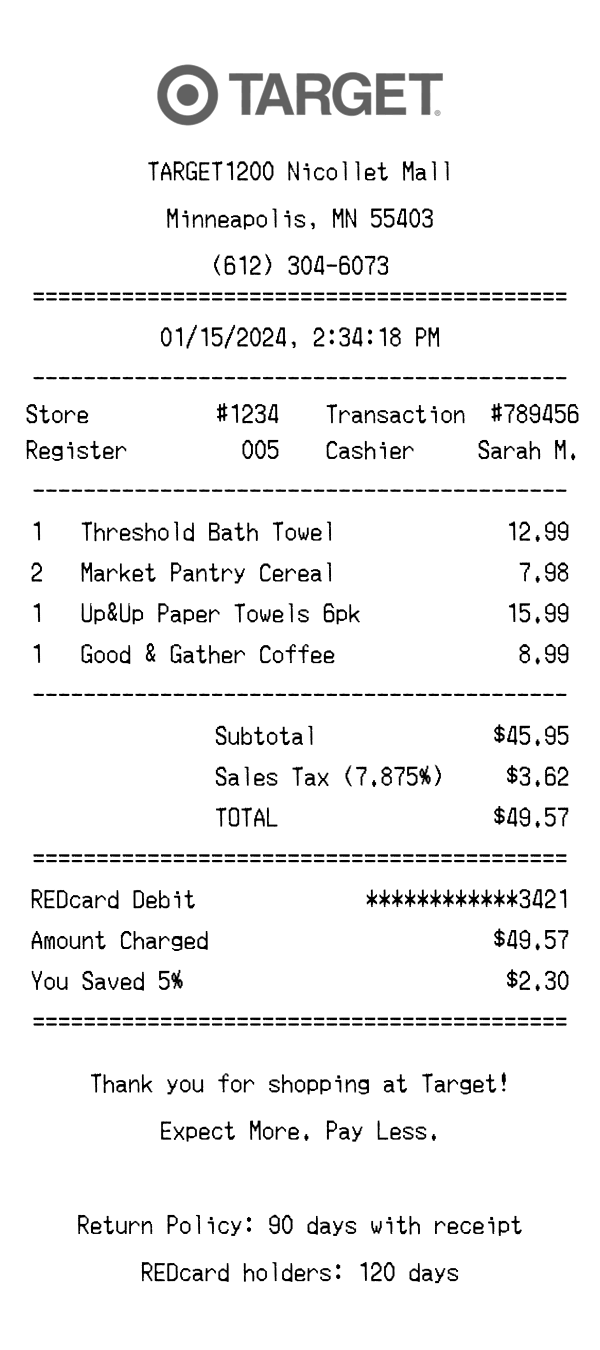
| Loyalty program | Footer promotes Chipotle Rewards sign-up; no points shown on receipt | Walmart+ membership savings and Savings Catcher comparisons | Target Circle earnings and RedCard 5% discount displayed in totals |
| Payment section | Card type, masked card number, amount charged, and auth code — no tip line for dine-in | Card type, masked number, approval code, and change due for cash payments | Card type, masked number, approval code, and RedCard savings total |
See also: Walmart Receipt Template · Target Receipt Template
Customize every detail — store info, items, prices, dates, and payment method. Download as PNG in seconds.