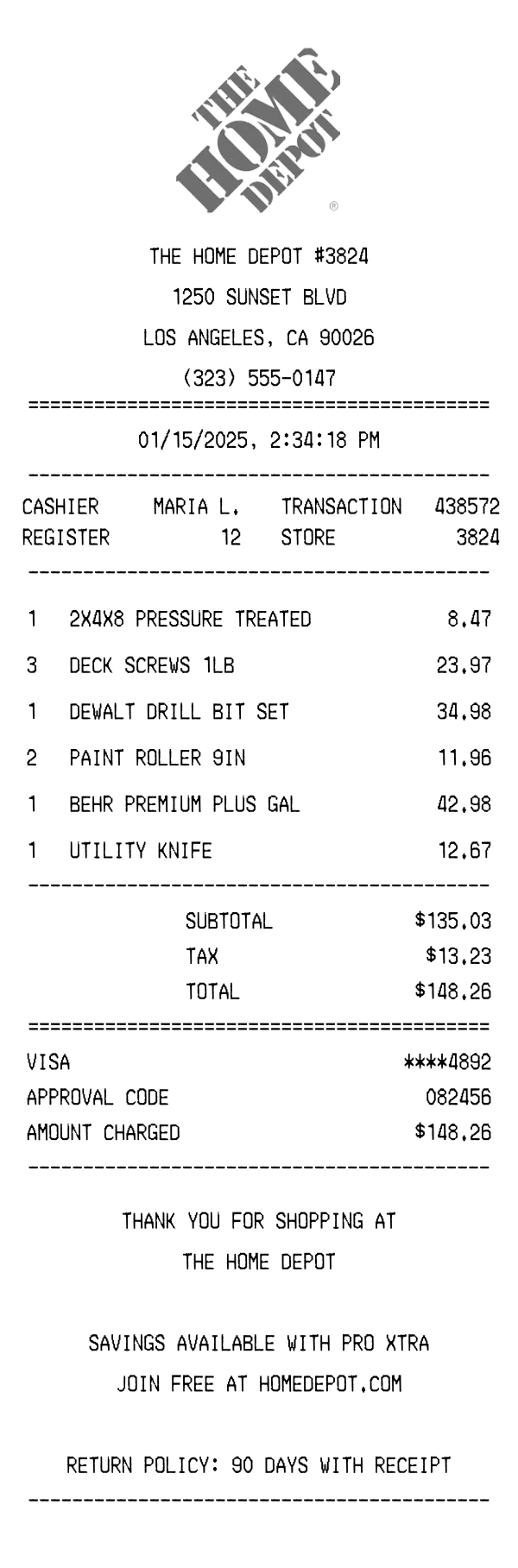
A realistic Home Depot receipt generator template featuring store header, lumber and hardware line items, tax breakdown, Visa payment details, and Pro Xtra loyalty messaging. Edit every field and download as a free PNG.
Use this template as a starting point or build from scratch.
The Home Depot receipt is a standard thermal paper printout issued at over 2,300 stores across the United States. It documents purchases of building materials, tools, paint, hardware, and other home improvement products with abbreviated item descriptions and department-style pricing. Understanding the Home Depot receipt format is useful for contractor expense reporting, warranty claims, tax documentation for home improvement projects, and return processing within the 90-day window. This Home Depot receipt generator template replicates the authentic layout so you can create realistic mockups for design projects, app testing, or bookkeeping demonstrations.
The top of a Home Depot receipt displays the company logo in its recognizable orange-on-white branding, rendered here in black and white for thermal printing. Below the logo sits the store name formatted as 'THE HOME DEPOT' followed by the four-digit store number (e.g., #3824). The full street address, city, state, and ZIP code appear on subsequent lines, along with the store's phone number. This header block is center-aligned and separated from the transaction body by an equals-sign divider, consistent with Home Depot's POS formatting.
Home Depot receipts include a structured metadata section displayed in a two-column layout. The left column shows the cashier name (e.g., 'MARIA L.') and the register number, while the right column lists the transaction number and store number. The date and time stamp is center-aligned above this block, formatted as MM/DD/YYYY with a 12-hour timestamp down to the second. These identifiers are critical for returns, as Home Depot associates use the transaction number and store code to look up purchases in their system.
Items on a Home Depot receipt are listed with a quantity prefix, an abbreviated product description, and a line total. Descriptions use standard Home Depot SKU shorthand — for example, '2X4X8 PRESSURE TREATED' for dimensional lumber or 'BEHR PREMIUM PLUS GAL' for a gallon of paint. Multi-quantity purchases show the total price for all units on the same line (e.g., 3 × DECK SCREWS 1LB at $23.97). Items are not grouped by department on the printed receipt, but instead appear in the order they were scanned at the register. The item block is bounded by dash dividers above and below.
The totals section begins with a subtotal of all items before tax, followed by a single tax line calculated at the applicable local rate — in this case, roughly 9.8% for Los Angeles County. The total amount due appears as the final line before the payment block. Payment details specify the card network (VISA), the last four digits of the card number (****4892), an approval code from the card processor, and the exact amount charged. Home Depot receipts do not include tip lines, as the store operates on a fixed-price retail model.
The footer section of a Home Depot receipt opens with a centered 'THANK YOU FOR SHOPPING AT THE HOME DEPOT' message. Below this, the receipt promotes the Pro Xtra loyalty program — Home Depot's free membership for professionals and frequent shoppers that offers volume pricing, purchase tracking, and paint rewards. The return policy is clearly stated as 90 days with receipt, which is the standard window for most merchandise categories. A barcode at the very bottom encodes the store number, transaction ID, and date, allowing associates to scan the receipt for quick return lookups rather than entering data manually.
| Feature | Home Depot | Walmart | Costco |
|---|---|---|---|
| Store identifier format | Four-digit store number after brand name (e.g., #3824) | Store number with Supercenter designation and full address | Warehouse number prominently displayed with city location |
| Item description style | Abbreviated SKU shorthand (e.g., '2X4X8 PRESSURE TREATED') | Full product name with department letter code prefix | Item number followed by abbreviated description and unit count |
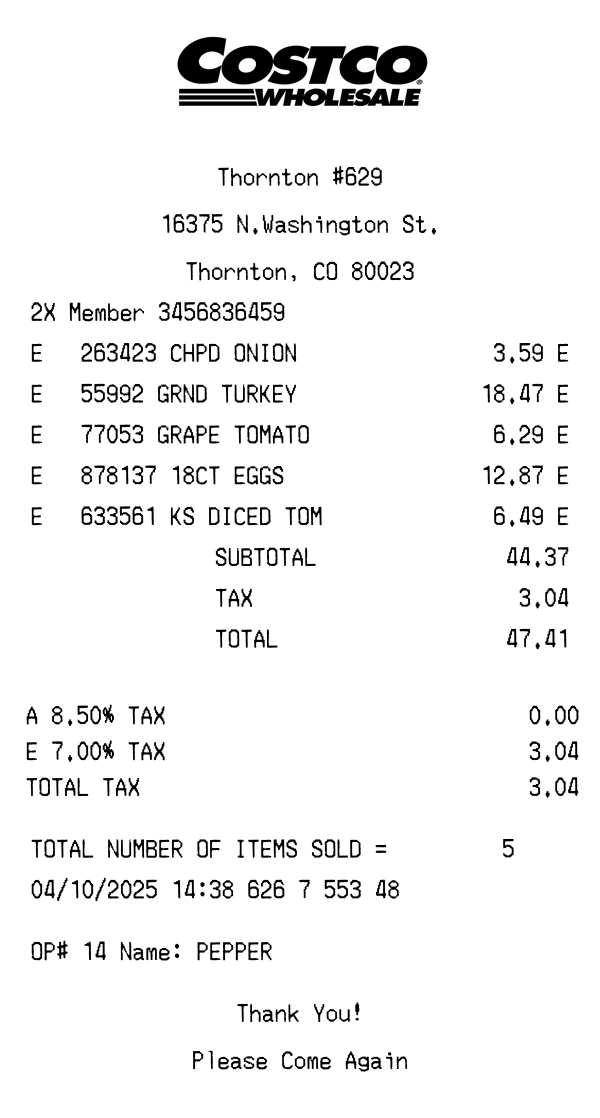
| Loyalty program on receipt | Pro Xtra membership promotion in footer | Walmart+ benefits and savings summary if enrolled | Member number printed at top; Executive members see 2% reward tracker |
| Return policy display | 90-day return policy stated explicitly in footer text | Return policy varies by category; not always printed on receipt | Generous return policy with no time limit on most items; not printed |
| Receipt barcode content | Encodes store number, transaction ID, and date for return scanning | TC number barcode used for Walmart Pay and return lookups | Barcode tied to membership and transaction for warehouse returns |
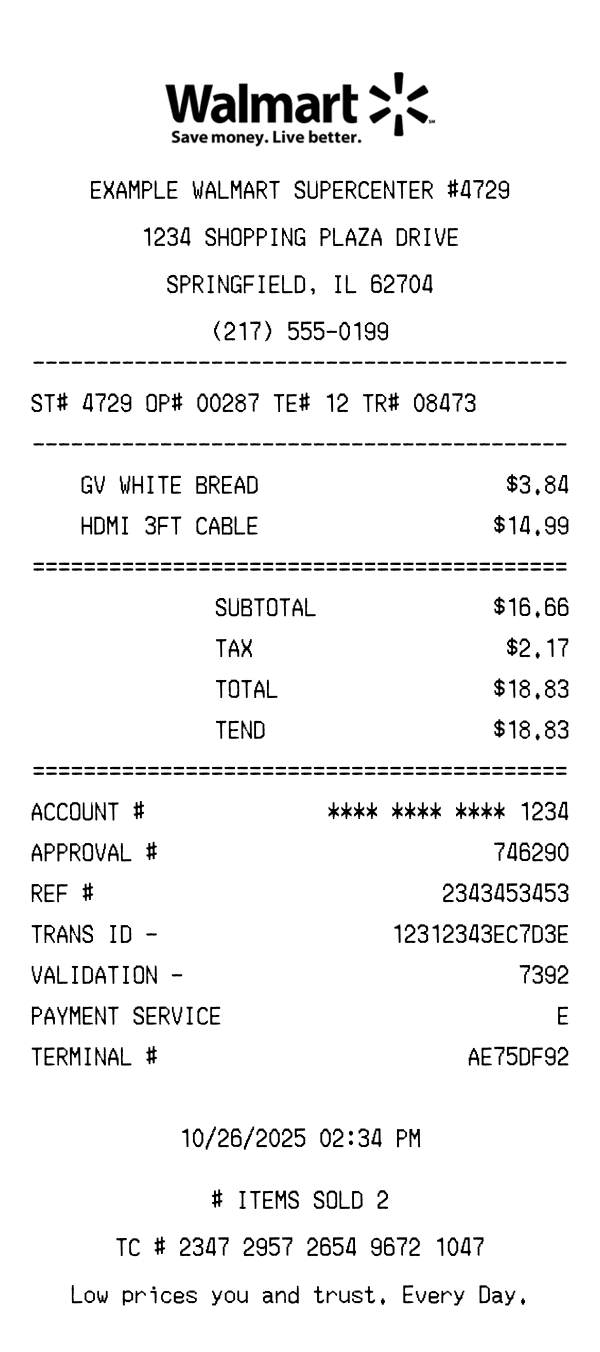
See also: Walmart Receipt Template · Costco Receipt Template
Customize every detail — store info, items, prices, dates, and payment method. Download as PNG in seconds.