A realistic Starbucks receipt template featuring the iconic logo, itemized drink and food lines, Starbucks Rewards stars, and a barcode. Edit every field — from store number to drink customizations — and download a free PNG image instantly.
Use this template as a starting point or build from scratch.
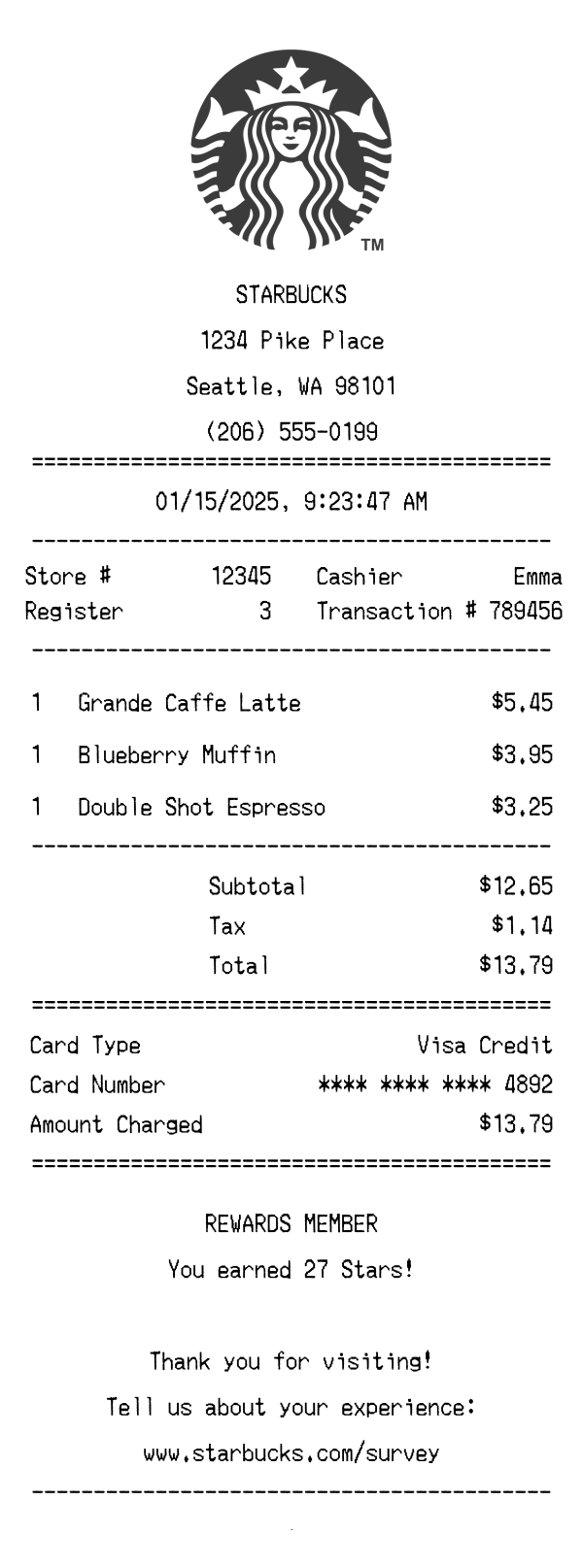
A Starbucks receipt is a thermal paper slip issued at any of the chain's thousands of locations after a purchase of beverages, food, or merchandise. Understanding the Starbucks receipt format is useful for expense reporting, budget tracking, diet logging, and creating realistic mockups for app or UI design projects. This template replicates the standard layout you'd receive at a Starbucks register, including the centered logo, store details, itemized drink and food lines, tax breakdown, card payment info, and the Rewards stars summary. Whether you need a Starbucks receipt image for a design prototype or want to test an expense-tracking workflow, this generator lets you customize every detail and download a pixel-perfect PNG.
Starbucks receipts open with the circular Siren logo printed in monochrome at the top center. Directly below is the store name 'STARBUCKS' in bold, followed by the street address, city, state, ZIP code, and phone number — all center-aligned. This example shows a Pike Place address in Seattle, WA 98101, with a (206) area-code phone number. A double-line (equals) divider separates the header from the transaction details below. The header block is compact but gives the customer everything needed to identify the exact store location.
Below the date and time stamp — here formatted as 01/15/2025, 9:23:47 AM and center-aligned — the receipt displays a two-column metadata section. The left column lists the Store # (12345) and Register number (3), while the right column shows the Cashier name (Emma) and Transaction # (789456). These identifiers are critical for returns, customer service inquiries, and matching purchases to loyalty accounts. A dashed divider closes this section before the item list begins.
Items on a Starbucks receipt are listed with a quantity, item name, and price on each line. Drink names include the size prefix — Grande, Venti, Tall — followed by the beverage name, such as 'Grande Caffe Latte' at $5.45. Food items like 'Blueberry Muffin' appear in the same format at $3.95. Add-ons or modifications (extra shots, alternative milks, syrups) would typically appear as indented sub-lines beneath the parent drink. This example also includes a 'Double Shot Espresso' at $3.25, showing a typical multi-item coffee-shop order.
The totals section begins with a Subtotal of $12.65, followed by a single Tax line of $1.14 (roughly 9% — consistent with Seattle's combined sales tax rate), and a Total of $13.79. A double-line divider separates totals from the payment block, which shows Card Type (Visa Credit), a masked Card Number (**** **** **** 4892), and the Amount Charged ($13.79). Starbucks receipts do not include a tip line at the register — tipping is handled digitally via the Starbucks app or card reader prompt.
The footer section is center-aligned and begins with a 'REWARDS MEMBER' label, confirming the customer's enrollment in Starbucks Rewards, followed by 'You earned 27 Stars!' — reflecting the standard 2-Stars-per-dollar earning rate on registered payments. Below that is a 'Thank you for visiting!' message and an invitation to share feedback at www.starbucks.com/survey. A barcode at the very bottom encodes the transaction data (789456123450) for quick scanning during returns or lookups. This footer mirrors the real Starbucks format that encourages repeat visits and engagement with the loyalty program.
| Feature | Starbucks | Chipotle | CVS Pharmacy |
|---|---|---|---|
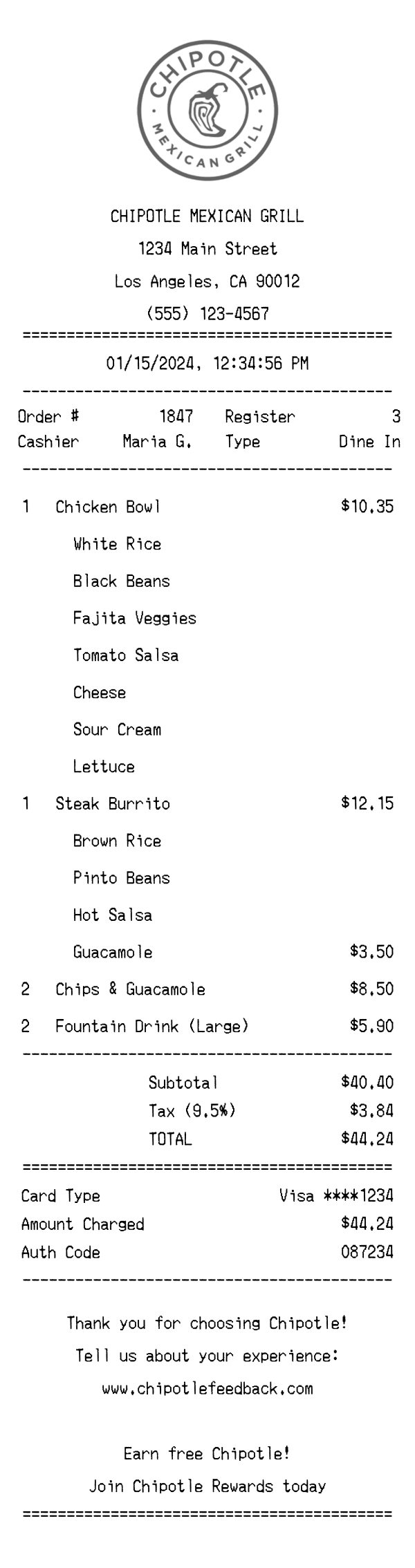
| Receipt format | Narrow thermal paper with centered logo and monochrome Siren branding | Narrow thermal paper with bold Chipotle text header and order number | Extra-long thermal paper, often with multiple coupon sections attached |
| Loyalty program display | Shows Rewards Member status and Stars earned (2 per dollar) | Chipotle Rewards points may appear; often promoted via app | ExtraCare savings summary with ExtraBucks earned and coupon prints |
| Item line detail | Size prefix + drink name; modifications listed as sub-lines | Entrée name with protein and topping build listed underneath | Product name with SKU, unit price, and savings if applicable |
| Tax calculation | Single tax line based on local rate (prepared food/beverage tax applies) | Single tax line; rate varies by state and municipality | May show multiple tax rates — taxable vs. non-taxable items separated |
| Footer content | Stars earned, thank-you message, survey URL, and barcode | Order number, survey invitation with free entrée offer code | ExtraBucks coupons, return policy, survey code, and pharmacy disclaimers |
See also: Chipotle Receipt Template · CVS Pharmacy Receipt Template
Customize every detail — store info, items, prices, dates, and payment method. Download as PNG in seconds.